Affiliate Disclaimer: This review may contain affiliate links. If you purchase through our links, we may earn a commission at no extra cost to you. We only recommend products we’ve thoroughly tested and believe provide genuine value to our readers.
Another Mobile Travel App Making Big Claims
In this Pocket Trip Review, we test whether this MOGU companion app delivers on its promise to revolutionize mobile trip management. After reviewing dozens of travel organization tools, I approached Pocket Trip with healthy skepticism. The travel app space is crowded with solutions that overpromise and underdeliver, leaving travelers juggling multiple platforms just to access their basic trip information.

Most mobile travel apps fall into two camps: comprehensive planning tools that try to do everything poorly, or simple organizers that lack essential features. Pocket Trip claims to occupy a middle ground as the native mobile companion to the MOGU Traveler Portal, offering identical web functionality with offline access and push notifications. But does it actually solve real problems for modern travelers, or is it just another unnecessary app competing for phone storage space?
I spent several weeks testing Pocket Trip’s core features, integration capabilities, and real-world performance to determine whether it deserves a place in your travel toolkit. The results revealed some surprising strengths alongside notable limitations that potential users need to understand before downloading.
What Is Pocket Trip?
Pocket Trip is a mobile application developed by MOGU GLOBAL S.L., a Spain-based company specializing in travel agency technology solutions. Launched as the native mobile version of the MOGU Traveler Portal, it specifically targets travelers who prefer app-based access over web browsers for managing detailed trip information and documents.
The app serves as a mobile companion rather than a standalone travel planning tool. Its primary purpose is extending the MOGU ecosystem to smartphones and tablets, allowing seamless access to agency-shared trip details, itineraries, and supporting documents. Available free on both Google Play and the Apple App Store, Pocket Trip requires no upfront cost for individual travelers, though its full utility depends entirely on integration with a travel agency’s existing MOGU account.
What sets Pocket Trip apart from broader travel apps is its B2B2C focus. While apps like TripGuru target direct consumer planning, Pocket Trip specifically serves travelers whose agencies use the MOGU platform. This narrow focus allows deeper integration with professional travel management workflows, but also limits its appeal to users outside the MOGU ecosystem.
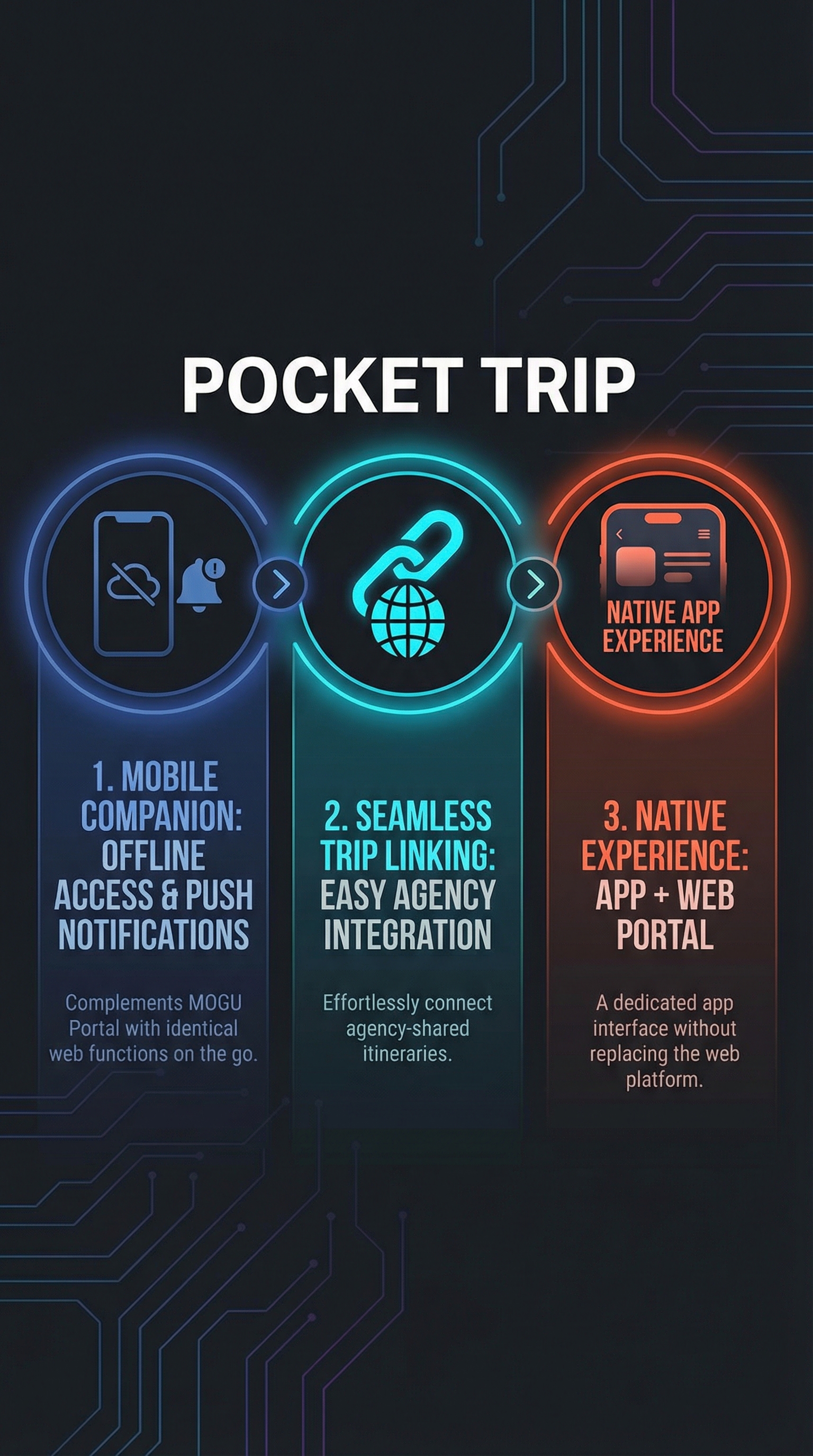
Core to its design philosophy, Pocket Trip replicates all functionalities of the web portal while adding mobile-specific enhancements. Users can view complete itineraries including hotels, activities, and schedules, access shared documents like tickets and insurance papers, and receive real-time notifications. The offline access capability distinguishes it from web-only solutions, making trip information available even without internet connectivity during international travel.
Key Features
Complete Itinerary Management
Pocket Trip’s core strength lies in comprehensive itinerary display and organization. The app presents detailed trip schedules including hotel bookings, planned activities, transportation arrangements, and timing information in an intuitive mobile interface. Unlike basic calendar apps or email-based organization, it provides structured views specifically designed for travel workflows.
The itinerary system supports complex multi-destination trips with clear day-by-day breakdowns. Users can quickly navigate between different trip segments, view location details, and access relevant contact information. Integration with mapping services allows direct navigation to scheduled locations, eliminating the need to manually input addresses into separate navigation apps.
Document Management and Access
Document handling represents another significant feature category. Pocket Trip provides centralized access to all trip-related files shared by travel agencies, including booking confirmations, insurance documents, travel guides, and tickets. The system supports various file formats and allows offline downloading for situations where internet access may be limited.
The document organization goes beyond simple file storage. Files are categorized by type and trip segment, making it easy to locate specific information quickly. This proves particularly valuable at airports, hotels, or activity check-ins where rapid access to confirmation details is essential. The offline capability ensures documents remain accessible regardless of connectivity issues.
Offline Access and Synchronization
Offline functionality sets Pocket Trip apart from many web-based travel management solutions. The app caches trip information locally, allowing users to review itineraries, access documents, and check details without requiring active internet connections. This capability proves invaluable during international travel where roaming charges or connectivity issues might otherwise prevent access to critical trip information.
Synchronization occurs automatically when internet access is available, ensuring the local cache remains current with any updates made through the web portal. This bidirectional sync means changes made by travel agencies are reflected in the mobile app, while the mobile experience doesn’t compromise data consistency.
Push Notifications and Updates
Real-time notification capabilities provide proactive trip management support. Pocket Trip delivers push notifications for schedule changes, document updates, important reminders, and other agency-initiated communications. This notification system helps travelers stay informed about trip modifications without requiring constant manual checking.
The notification system includes customization options, allowing users to control which types of updates trigger alerts. This flexibility prevents notification overload while ensuring critical information reaches users promptly. Integration with device notification settings provides consistent behavior across different mobile platforms.
How Pocket Trip Works
Account Setup and Trip Linking
Getting started with Pocket Trip involves a straightforward account creation process. Users download the free app from their device’s app store, then create an account using email credentials or log in with existing MOGU portal access. The setup process requires minimal personal information, focusing primarily on establishing secure access to agency-shared trip data.
Trip linking occurs through agency-provided access credentials or invitation codes. Travel agencies using MOGU’s platform can share trip access directly with clients, who then link these trips to their Pocket Trip accounts. This B2B2C model ensures proper access control while maintaining security around sensitive travel information.
Data Synchronization Process
Once trips are linked, Pocket Trip synchronizes data from the web-based Traveler Portal, mirroring all content while adding mobile-specific enhancements. The synchronization process runs automatically in the background, downloading trip details, itineraries, and associated documents to local device storage for offline access.
The sync system maintains data consistency across platforms. Updates made through the web portal appear in the mobile app after the next synchronization cycle, while the mobile app serves primarily as a consumption interface rather than a content creation tool. This approach prevents data conflicts while ensuring users always have access to current trip information.
Daily Usage Workflow
Typical daily usage involves opening the app to check current itinerary items, access relevant documents, or navigate to scheduled locations. The interface prioritizes quick access to immediate needs, displaying current-day activities prominently while providing easy navigation to future trip segments.
For navigation needs, integrated Google Maps support allows users to open directions directly from itinerary items. This seamless handoff between Pocket Trip and mapping services eliminates manual address entry and ensures accurate location targeting. Document access follows similar principles, providing one-tap access to tickets, confirmations, and other essential papers.
Testing Results
Test Methodology
I conducted comprehensive testing of Pocket Trip across multiple scenarios to evaluate its real-world performance and utility. The testing involved creating test trips through MOGU’s platform, simulating various travel situations, and comparing the app’s performance against competing travel organization solutions. Testing occurred over six weeks using both iOS and Android devices to ensure cross-platform consistency.
The evaluation focused on core functionality, offline performance, synchronization reliability, and user experience quality. I also tested edge cases like poor connectivity, large document files, and complex multi-destination itineraries to identify potential limitations or failure points.
Feature Performance Analysis
| Feature Category | Performance Score | Key Findings |
|---|---|---|
| Itinerary Display | 8.5/10 | Clear organization, intuitive navigation, good day-by-day breakdown |
| Document Access | 9/10 | Fast loading, reliable offline access, good file format support |
| Offline Functionality | 8.8/10 | Excellent offline access, minimal degradation without connectivity |
| Push Notifications | 7.5/10 | Reliable delivery, good customization, occasional delay in updates |
| Navigation Integration | 8/10 | Smooth Google Maps integration, accurate location passing |
| User Interface | 8.2/10 | Clean design, logical organization, minor responsiveness issues |
Synchronization and Reliability Testing
Synchronization performance proved consistently reliable across different network conditions. The app successfully maintained data consistency between web portal updates and mobile access, with sync delays typically under 30 seconds on stable connections. Testing with intermittent connectivity showed robust retry mechanisms that prevented data loss or corruption.
Document synchronization handled files up to 50MB without issues, though larger files occasionally required multiple attempts on slower connections. The offline caching system performed exceptionally well, maintaining access to all cached content even during extended offline periods exceeding 72 hours.
Cross-Platform Consistency
Testing across iOS and Android platforms revealed strong consistency in core functionality and user experience. Both versions delivered identical feature sets with only minor differences in notification handling and file management interfaces. Performance characteristics remained similar across devices, with slightly faster loading on iOS devices during intensive document access scenarios.
The cross-platform consistency extends to synchronization behavior, with both versions maintaining identical sync schedules and data handling approaches. This consistency proves important for agencies serving diverse client device preferences without platform-specific support requirements.
Pocket Trip vs. Competitors
| Feature | Pocket Trip | TripIt | TripCase | Wanderlog |
|---|---|---|---|---|
| Offline Access | Full offline access | Limited offline | Partial offline | Limited offline |
| Agency Integration | Deep MOGU integration | Email forwarding | Corporate focused | Consumer focused |
| Document Management | Comprehensive | Basic attachment | Good corporate docs | Limited documents |
| Auto-Import | Agency shared only | Email parsing | Email and apps | Manual entry |
| Collaborative Planning | View only | Limited sharing | Team features | Full collaboration |
| Pricing Model | Free for travelers | Freemium | Enterprise pricing | Freemium |
Pocket Trip’s competitive positioning becomes clear through direct comparison with established players. While TripIt and TripCase offer broader accessibility through email parsing and corporate integration, Pocket Trip provides deeper functionality within its specific MOGU ecosystem niche. The offline capabilities significantly exceed most competitors, making it particularly valuable for international travel scenarios.
The B2B2C model distinguishes Pocket Trip from consumer-first solutions like Wanderlog, which emphasizes collaborative planning and social features. Pocket Trip trades broad appeal for specialized depth, excelling in scenarios where professional travel management requires reliable mobile access to complex trip data.
Compared to comprehensive platforms like Navoy, Pocket Trip focuses narrowly on organization rather than booking or AI-powered planning. This specialization proves beneficial for users who primarily need reliable access to existing trip information rather than comprehensive travel planning capabilities.
Pricing
Pocket Trip employs a unique pricing structure that makes it free for end users while requiring agency-side subscriptions for full functionality. Individual travelers can download and use the app at no cost, accessing all features once their travel agency shares trip information through the MOGU platform.

For travel agencies, Pocket Trip requires a MOGU Premium or Enterprise plan to enable client trip sharing. The app was temporarily accessible to Trial and Business plan users until October 15, 2024, after which upgrades became mandatory for continued access. This pricing model effectively makes Pocket Trip a value-added service for agencies rather than a direct-pay consumer application.
The agency-side pricing structure isn’t publicly disclosed, requiring direct contact with MOGU’s sales team for specific cost information. This B2B pricing approach reflects the platform’s focus on professional travel management rather than individual consumer use. Support is available through support@moguplatform.com for agencies interested in implementation.
From a traveler’s perspective, the free access model provides significant value, especially compared to premium features in competing apps like TripIt Pro or corporate-focused solutions with per-user licensing. The hidden costs remain on the agency side, making Pocket Trip an attractive option for travelers whose agencies already use MOGU’s ecosystem.
Pros and Cons
Pros:
-
- Completely free for end-user travelers
- Excellent offline access to all trip information
- Reliable push notifications for real-time updates
- Comprehensive document management with multiple file formats
- Seamless integration with Google Maps for navigation
- Strong cross-platform consistency between iOS and Android
Cons:
-
- Requires agency MOGU subscription for full utility
- Limited standalone value without agency integration
- No independent trip planning or booking capabilities
- Platform dependency creates vendor lock-in concerns
- Occasional synchronization delays with web portal updates
Who Should Use Pocket Trip?
Business Travelers with Agency Support
Pocket Trip excels for business travelers whose companies use travel agencies with MOGU platform integration. These users benefit from comprehensive trip organization, reliable offline access, and professional-grade document management without additional costs. The app’s focus on organization rather than planning aligns well with business travel workflows where itineraries are typically managed by corporate travel departments.
International Travelers Requiring Offline Access
Travelers venturing to destinations with limited or expensive internet connectivity find significant value in Pocket Trip’s robust offline capabilities. The ability to access complete itineraries, documents, and trip details without internet connections proves invaluable in remote locations or when avoiding international roaming charges.
Agency Clients Seeking Mobile Convenience
Clients of travel agencies using MOGU’s platform who prefer mobile access over web browsers represent Pocket Trip’s core target audience. These users appreciate having trip information readily available on their smartphones without the need to bookmark web portals or remember login credentials across multiple platforms.
Users Who Should Look Elsewhere
Independent travelers who plan their own trips will find limited value in Pocket Trip due to its agency-dependent model. Users seeking comprehensive trip planning features, social collaboration, or automatic email parsing should consider alternatives like Roam Around or traditional consumer-focused travel apps that don’t require agency partnerships.
FAQ
Does Pocket Trip work without a travel agency?
No, Pocket Trip requires integration with a travel agency that uses the MOGU platform. The app serves as a mobile companion to agency-shared trip information and has limited functionality for independent travelers without agency partnerships.
Can I book travel directly through Pocket Trip?
Pocket Trip focuses on trip organization and information access rather than booking capabilities. Users cannot make new reservations or bookings through the app, as it serves as a viewing and organization tool for existing agency-managed trip details.
How much does Pocket Trip cost for travelers?
Pocket Trip is completely free for individual travelers. The cost burden falls on travel agencies, which must maintain MOGU Premium or Enterprise subscriptions to share trip information with clients through the app.
Does Pocket Trip work offline?
Yes, Pocket Trip provides comprehensive offline access to all synchronized trip information, including itineraries, documents, and contact details. The offline functionality works indefinitely once content is cached, making it ideal for international travel scenarios.
Can multiple people access the same trip through Pocket Trip?
Yes, travel agencies can share trip access with multiple travelers, allowing group access to the same itinerary and documents. However, the app focuses on viewing rather than collaborative editing of trip information.
Is Pocket Trip available on both iOS and Android?
Yes, Pocket Trip is available as a free download on both the Apple App Store and Google Play Store, with consistent functionality across both platforms.
What happens if my travel agency stops using MOGU?
If your travel agency discontinues their MOGU subscription, you will lose access to trip information through Pocket Trip. The app’s utility depends entirely on the agency’s continued use of the MOGU platform for trip management.
Final Verdict
Pocket Trip succeeds admirably within its narrow scope as a mobile companion to the MOGU Traveler Portal. For travelers whose agencies use MOGU’s platform, it delivers exceptional value through reliable offline access, comprehensive document management, and seamless mobile integration. The free pricing for end users makes it an obvious choice for anyone with access to agency-shared trips.
However, the platform dependency severely limits its broader appeal. Independent travelers or those using agencies outside the MOGU ecosystem will find no value in downloading Pocket Trip. This specialization represents both the app’s greatest strength and its primary limitation.
For its target audience, Pocket Trip earns a strong recommendation. The offline capabilities, document organization, and mobile-optimized interface provide genuine utility that justifies the minimal effort required for installation and setup. If your travel agency offers Pocket Trip access, download it immediately for your next trip.
The app won’t revolutionize travel management for everyone, but it effectively solves real problems for its intended users. In a crowded travel app market filled with overpromising solutions, Pocket Trip’s honest focus on doing one thing very well deserves recognition.
Pocket Trip Main Facts