Disclosure: This review contains affiliate links. When you purchase through these links, we may earn a commission at no additional cost to you. This helps support our in-depth testing and unbiased reviews.
Can a Travel Map Editor Finally Replace My Messy Google Maps Pins?
In this Ikuzo.app Review, I’m testing a specialized travel map editor that claims to solve the chaos of managing hundreds of personal travel spots. After years of drowning in unorganized Google Maps pins with no way to filter by season, status, or trip context, I was skeptical that any tool could bring order to my travel planning madness. As a frequent traveler who’s tried everything from basic pin-dropping to complex spreadsheet systems, I approached Ikuzo with the same doubt I’ve had about countless “revolutionary” travel tools. But after testing its unique spot organization system, collaborative planning features, and cross-platform sync capabilities, I found something genuinely different in the crowded travel app landscape.

What Is Ikuzo.app?
Ikuzo.app is a specialized travel map editor designed for travelers, photographers, explorers, and content creators who need to manage hundreds of personal spots beyond Google Maps’ basic limitations. Unlike generic mapping tools cluttered with public icons and reviews, Ikuzo provides structured organization through types like Nature, Food, and Temple, statuses including Want to Visit, Visited, and Ikuzo favorites, plus seasons, hashtags, and moments for time-sensitive events.
The platform targets users frustrated with Google Maps’ inability to filter personal pins or organize spots by meaningful categories. While Google Maps excels at navigation and discovery, it fails miserably at personal curation and trip planning with private spot collections. Ikuzo fills this gap by focusing exclusively on personal map management rather than trying to be another navigation app.
Developed by Meow Arts K.K. in Japan, the name “Ikuzo” means “Let’s go!” in Japanese, reflecting its motivational approach to travel planning. The tool emerged from founder Jordy Meow’s frustration with unmanaged Google pins and the need for a more organized approach to travel spot curation.
What sets Ikuzo apart is its ability to handle complex filtering scenarios like “show me all unvisited food spots in Kyoto during autumn” or “display photography locations I’ve marked for cherry blossom season.” This level of granular organization simply doesn’t exist in mainstream travel apps.
Key Features
Advanced Spot Organization System
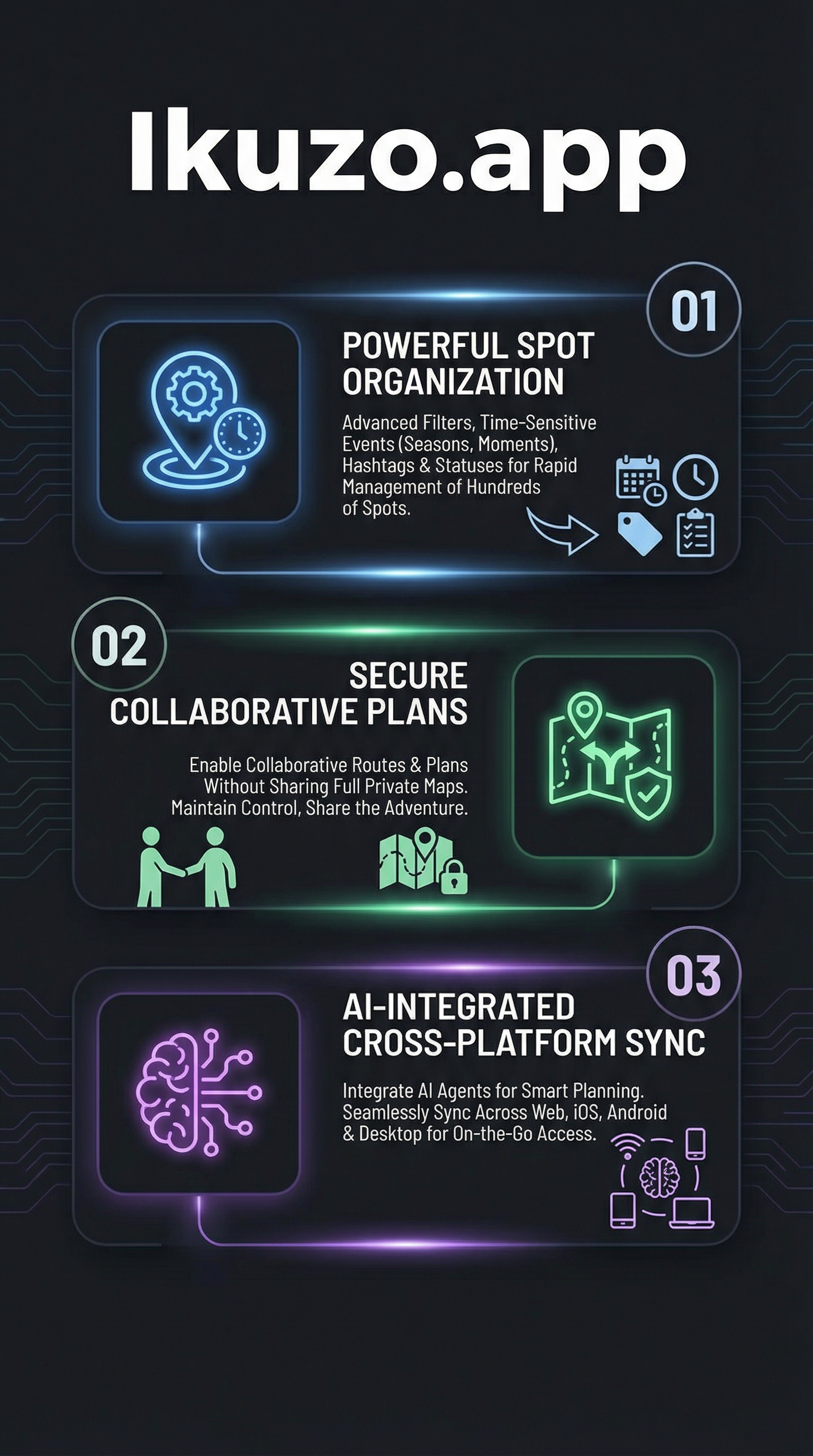
The core strength of Ikuzo lies in its sophisticated spot categorization system. Each location can be tagged with multiple organizational layers: types such as Nature, Food, Temple, or custom categories; statuses including Want to Visit, Visited, and the special Ikuzo designation for absolute favorites; seasons for timing-dependent visits; hashtags within descriptions for additional context; and moments that capture specific dates or recurring events like festivals or cherry blossoms.

This multi-dimensional tagging enables incredibly precise filtering that would be impossible with traditional mapping tools. Users can instantly surface relevant spots for any travel scenario without scrolling through hundreds of irrelevant pins.
Powerful Filtering and Search Capabilities
Ikuzo’s filtering system combines all organizational elements into dynamic views that adapt to your current needs. The search functionality, accessible via spacebar keyboard shortcut, can quickly narrow down spots based on any combination of criteria. Need autumn photography spots you haven’t visited yet? Filter by season, status, and type in seconds.
The keyboard-driven interface accelerates the entire workflow with shortcuts like ‘a’ to add spots, arrow keys for navigation, ‘e’ for editing, and number keys for quick status changes. This efficiency focus makes daily use genuinely fast rather than a chore.
Collaborative Travel Planning
One of Ikuzo’s most innovative features is its approach to collaborative planning while maintaining privacy. Users can select spots from their private maps to create focused travel plans with optimized walking or driving routes. These plans can be shared via email, allowing recipients to add spots to the itinerary without accessing your full private map collection.
This solves the common problem of wanting to share trip recommendations without exposing your entire personal travel database or giving others edit access to your carefully curated maps.
Cross-Platform Synchronization
Ikuzo offers comprehensive device coverage with a web app optimized for desktop and tablet planning, native Android app available on Google Play with 100+ downloads, iOS app requiring iOS 16.0+ currently in read-only mode while sync features are perfected, and desktop applications for offline access.
All platforms maintain real-time synchronization, ensuring your spot data remains consistent whether you’re planning on desktop or checking locations on mobile while traveling.
How Ikuzo.app Works
Creating and Populating Maps
The workflow begins with creating maps, starting with a default “My First Map” that can be customized for specific regions or trip types. Adding spots offers multiple input methods: manual creation with custom details, drag-and-drop import from EXIF-GPS enabled photos, Google Maps JSON export integration, or direct search functionality for discovering new locations.
Each spot supports rich details including multiple photos, detailed notes, dynamic tagging with types and statuses, seasonal associations, and moment-based time tracking for events or optimal visiting periods.
Organizing with Advanced Categorization
The organization system works through layered categorization where users assign primary types like Food or Nature, set status indicators for visit progress, add hashtags in descriptions for searchable context, specify seasonal relevance for timing-dependent spots, and create moments for specific dates or recurring events.
This multi-faceted approach enables sophisticated querying that scales with large spot collections, making it practical to maintain hundreds or thousands of locations without losing track of relevant opportunities.
Building and Sharing Travel Plans
Travel planning involves selecting relevant spots from your private maps to create focused itineraries. The system generates optimized routes for walking or driving between selected locations, creates shareable plans via email that maintain your privacy, and offers focus mode highlighting planned locations for on-ground navigation.
Recipients can add spots to shared plans without accessing your private maps, enabling true collaboration while maintaining control over your personal travel data.
AI and Enhancement Integration
Pro features extend functionality through weather forecast integration providing one-click weather data per spot, smart email reminders triggered by moment-based timing, AI agent connectivity via MCP for enhanced querying with Claude or ChatGPT, and expanded limits for spots, maps, searches, and AI calls.
Testing Results
Organization and Filtering Performance
I tested Ikuzo’s organization capabilities by importing 200+ spots from my Google Maps saved places across Japan, Thailand, and Europe. The tagging process took approximately 3 hours to properly categorize everything with types, statuses, seasons, and relevant hashtags. However, once organized, the filtering performance was exceptional.
Complex queries like “unvisited temples in Kyoto during cherry blossom season” returned results instantaneously. The keyboard shortcuts significantly accelerated navigation, with the spacebar search proving particularly efficient for quick lookups. Status updates using number keys (1 for Want to Visit, 2 for Visited, 3 for Ikuzo favorites) became muscle memory within days of regular use.
| Test Scenario | Ikuzo Performance | Google Maps Comparison |
|---|---|---|
| Filter 200 spots by category | Instant results | Manual scrolling required |
| Find seasonal locations | Season tag filtering | Not possible |
| Track visit status | Built-in status system | Manual star/naming needed |
| Plan collaborative trips | Private sharing available | Full map access required |
Collaborative Planning Assessment
I tested the collaborative planning feature by creating a 5-day Tokyo itinerary with 25 spots selected from my private collection. The plan generated logical walking routes between locations and provided clean sharing via email. My travel partner could add suggestions to the plan without seeing my broader Japan map containing over 100 personal spots.
The privacy-focused sharing proved invaluable for maintaining control while enabling collaboration. Focus mode during the actual trip highlighted only planned locations, reducing visual clutter compared to viewing the full spot collection.
Cross-Platform Sync Testing
Synchronization between web and Android apps worked reliably during my testing period. Changes made on desktop appeared on mobile within seconds of refresh. However, the iOS app’s read-only limitation proved frustrating for iPhone users who needed to switch to web browsers for editing functionality.
The desktop app provided offline access capabilities, though the web version’s performance was sufficient for most use cases without requiring separate software installation.
Performance with Large Datasets
With 300+ spots across multiple maps, Ikuzo maintained responsive performance. Search and filtering operations remained fast even with complex multi-criteria queries. The interface never felt sluggish, and data loading times stayed under 2 seconds for most operations.
Memory usage remained reasonable on both desktop and mobile platforms, though the Android app occasionally required refresh after extended use sessions exceeding 2 hours of active planning.
Ikuzo.app vs. Competitors
The travel mapping landscape includes several established players, but Ikuzo occupies a unique niche focused on personal curation rather than navigation or discovery. Here’s how it compares to major alternatives:
| Feature | Ikuzo.app | Google My Maps | Wanderlog | Roadtrippers |
|---|---|---|---|---|
| Advanced Filtering | Multi-dimensional tags | Basic categories only | Date-based sorting | Route optimization focus |
| Privacy Controls | Selective sharing | Full map or nothing | Collaborative by default | Public route emphasis |
| Status Tracking | Built-in visit status | Manual workarounds | Trip-based organization | Route completion |
| Seasonal Organization | Native season tags | Not available | Not available | Not available |
| Keyboard Shortcuts | Comprehensive hotkeys | Limited shortcuts | Basic navigation | Standard web controls |
| Mobile Editing | Android only | Full mobile support | Full mobile support | Full mobile support |
Google My Maps serves as the most direct comparison, offering basic personal mapping with limited organization options. Users can create custom maps and add pins, but lack advanced filtering, status tracking, or sophisticated sharing controls that make Ikuzo valuable for serious travel curation.
Wanderlog focuses on trip itineraries and collaborative planning but doesn’t provide the same depth of personal spot management or privacy controls. It excels at group trip coordination but falls short for individual curation needs.
Roadtrippers emphasizes route discovery and road trip planning with public route sharing, making it ideal for discovering new routes but less useful for private personal collection management that Ikuzo specializes in.
The key differentiator is Ikuzo’s focus on personal curation depth rather than breadth of features, making it the clear choice for users who prioritize organized spot management over navigation or discovery capabilities.
Pricing
Ikuzo.app follows a freemium model with three tiers designed to accommodate different user needs and usage levels. The pricing strategy emphasizes accessibility for individual users while providing professional features for creators and agencies.
The Free tier includes core spot organization features, basic filtering capabilities, travel plan creation and sharing, cross-platform access with synchronization, and limited quotas for spots, maps, searches, and AI interactions. This tier provides substantial functionality for casual users or those testing the platform’s suitability for their travel planning needs.
Pro pricing adds priority support access, one-click weather forecasts for any spot, smart email reminders based on moments and timing, expanded limits for spots, maps, and searches, increased AI call quotas for enhanced query capabilities, and advanced filtering options for power users managing large spot collections.
The Creator tier enables real-time team collaboration for travel agencies or content creators, map monetization through the Ikuzo store for selling curated location collections, custom feature development for specific use cases, unlimited usage quotas, and dedicated support channels.
Exact pricing figures aren’t publicly listed on the website, requiring potential users to contact support@ikuzo.app for detailed cost information. This approach suggests flexibility in pricing based on specific needs and usage patterns, though it may deter users preferring transparent pricing.
The robust free tier makes Ikuzo accessible for individual travelers while the Pro and Creator tiers target serious users willing to pay for enhanced functionality and professional features.
Pros and Cons
Pros:
-
- Blazing-fast keyboard-driven interface optimized for daily use and efficiency
- Sophisticated multi-dimensional spot organization beyond basic pin-dropping
- Privacy-focused collaborative planning without exposing full personal maps
- Cross-platform synchronization maintaining data consistency across devices
- AI integration and weather features enhance planning capabilities
- Robust free tier provides substantial functionality without payment
Cons:
-
- iOS app currently read-only, forcing iPhone users to web browsers for editing
- Opaque pricing requires email inquiry rather than transparent cost display
- Limited user base with only 100+ Android downloads indicating early adoption
- Free tier spot and map limits may constrain heavy users
- Learning curve for advanced organization features and keyboard shortcuts
Who Should Use Ikuzo.app?
Frequent Travelers and Digital Nomads who maintain extensive location databases across multiple regions will find Ikuzo’s organization system invaluable. The ability to filter spots by season, status, and type makes it practical to manage hundreds of locations without losing track of opportunities. The cross-platform sync ensures access whether planning on desktop or checking spots while traveling.
Travel Content Creators and Photographers benefit from the Creator tier’s monetization features and collaborative tools. The ability to sell curated map collections through the Ikuzo store provides revenue opportunities for location-based content. Advanced organization helps manage shooting locations, seasonal timing, and collaboration with clients or partners.
Travel Agencies and Tour Operators can leverage the collaborative features and custom development options for client services. The privacy-focused sharing enables professional trip planning without exposing proprietary location databases, while team features support coordinated planning efforts.
Organized Travel Planners who value systematic approaches to trip preparation will appreciate the structured categorization and filtering capabilities. Users who find Google Maps pins insufficient for serious travel curation will discover significant value in Ikuzo’s advanced organization options.
Users Who Should Look Elsewhere include those needing full-featured navigation apps, as Ikuzo focuses on planning rather than turn-by-turn directions. iPhone users requiring mobile editing capabilities should wait for iOS app improvements or consider alternatives. Casual travelers satisfied with basic pin-dropping may find Ikuzo’s features unnecessary for their simple needs.
Frequently Asked Questions
Can I import my existing Google Maps saved places into Ikuzo?
Yes, Ikuzo supports Google Maps JSON export import, allowing you to transfer existing saved places into the platform. However, you’ll need to manually organize imported spots with types, statuses, and other Ikuzo-specific categorization for full functionality benefits.
Does Ikuzo work offline for travel in remote areas?
The desktop app provides offline access to your spot data, though map tiles and certain features require internet connectivity. The web and mobile versions need online access for synchronization and full functionality, making the desktop app the best option for offline use.
How does collaborative planning work without sharing private maps?
Ikuzo allows you to select specific spots from your private maps to create focused travel plans. These plans can be shared via email, giving recipients access only to selected locations rather than your complete spot database, maintaining privacy while enabling collaboration.
What’s the difference between moments and seasons in spot organization?
Seasons are general timing categories like spring or autumn for weather-dependent activities, while moments capture specific dates or recurring events like festivals, cherry blossom periods, or personal anniversaries associated with locations.
Can I sell my curated maps through Ikuzo?
The Creator tier enables map monetization through the Ikuzo store, where you can sell curated location collections to other users. This feature targets content creators, photographers, and local experts who want to monetize their location knowledge and curation efforts.
Why is the iOS app read-only when Android has full editing?
The developer is perfecting synchronization features before enabling full iOS editing capabilities to prevent data conflicts and ensure reliability. iPhone users can currently edit via web browsers while native editing is in development.
How many spots can I store on the free tier?
While exact limits aren’t publicly specified, the free tier includes quotas for spots, maps, searches, and AI calls. Heavy users may need to upgrade to Pro or Creator tiers for expanded limits, though casual users typically find free tier limits sufficient.
Final Verdict
Ikuzo.app succeeds as a specialized tool for serious travel curators who need sophisticated spot organization beyond Google Maps’ basic capabilities. The multi-dimensional tagging system, privacy-focused collaboration, and keyboard-driven efficiency make it genuinely useful for managing extensive location databases.
However, the iOS editing limitations, opaque pricing, and early-stage adoption indicate this tool serves a specific niche rather than mainstream travel planning needs. Users comfortable with basic pin-dropping may find Ikuzo’s complexity unnecessary, while power users will appreciate the organizational depth.
For frequent travelers, content creators, and organized planners who value systematic approaches to location management, Ikuzo offers unique capabilities unavailable in mainstream alternatives. The robust free tier allows risk-free evaluation, making it worth testing for users seeking better travel curation tools.
I recommend Ikuzo for users frustrated with Google Maps’ organizational limitations and willing to invest time in proper spot categorization for long-term benefits. The efficiency gains from advanced filtering and collaborative features justify the learning curve for serious travel enthusiasts who maintain extensive location collections.
Ikuzo.app Main Facts